Convert a spreadsheet to an HTML table
Need a table on a web page, in a knowledge base or inside an email that looks like it did in the spreadsheet? This tool produces a tidy HTML table with the styling built into the markup.
- Your file never leaves your device
- Free
- No sign-up
How to get an HTML table
1Upload the file
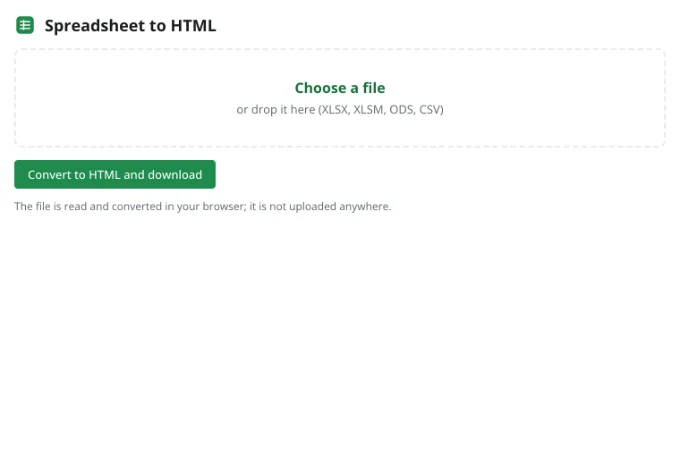
Drop an XLSX, ODS or CSV file into the tool.
2Pick a sheet
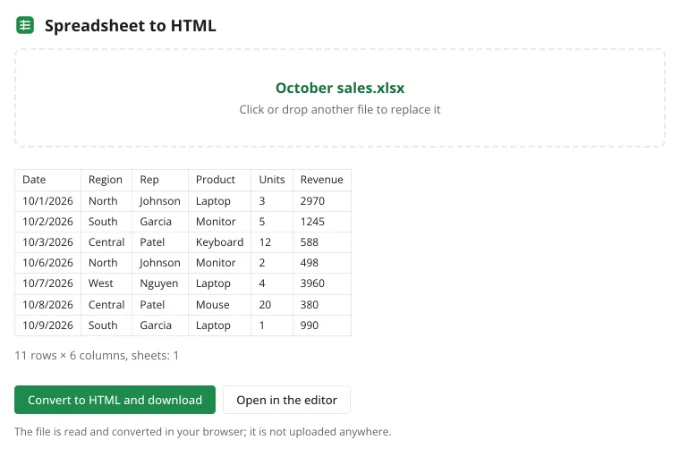
Choose one sheet, or export them all as separate HTML files.
3Use the HTML
Open the file in a browser to check it, then copy the table into your page or editor.
What the HTML contains
Cells are written as displayed — with fonts, colors, fills, borders, alignment and merged cells. Inline styles mean the table looks the same anywhere, independent of your site's stylesheet.
Formulas, comments and hidden rows are left out; the result is a read-only snapshot of the sheet.
Frequently asked questions
Is my file uploaded anywhere?
No. The spreadsheet is read and written by your browser, on your device. It only reaches Zotu's servers if you choose to save it to your cloud from the full editor.
Do I need an account or a subscription?
No. The tool is free and needs no sign-up. An account only adds cloud storage, so your workbooks follow you between devices and save themselves.
Can I paste it into an email?
Yes. Open the HTML file in a browser, select the table and copy it; email clients keep the formatting.
Is the table responsive?
Column widths are preserved. Wrap the table in a horizontally scrolling container to make it comfortable on phones.
More tools
- Convert CSV to XLSX onlineConvert CSV to XLSX in your browser.
- Convert XLSX to CSVExport a sheet from an XLSX workbook to CSV with a comma, semicolon or tab delimiter.
- Convert a spreadsheet to PDFTurn an XLSX, ODS or CSV spreadsheet into a PDF with proper page breaks, headers, footers and charts — just like printing.
- Convert ODS to XLSXConvert OpenDocument spreadsheets (ODS) to XLSX with sheets, formulas, number formats and styling intact.
- Convert XLSX to ODSSave an XLSX workbook as an OpenDocument spreadsheet (ODS) with all sheets, formulas, number formats and styling.
- Convert TSV to XLSXConvert TSV files or tab-separated text to XLSX: columns line up, numbers and dates are recognized, and any language's characters read correctly.
- Open an XLSX file onlineOpen XLSX, ODS or CSV files online and edit them right away: formulas, filters and charts work.
- Edit CSV files onlineEdit CSV files online in a real grid: sort, filter, find and replace, remove duplicates and split columns, then save back to CSV without breaking quotes.