Convert XLSX to ODS
Some governments, schools and organizations require the open ODS format. This tool rewrites an XLSX workbook as ODS without dropping sheets or formulas.
- Your file never leaves your device
- Free
- No sign-up
How to save XLSX as ODS
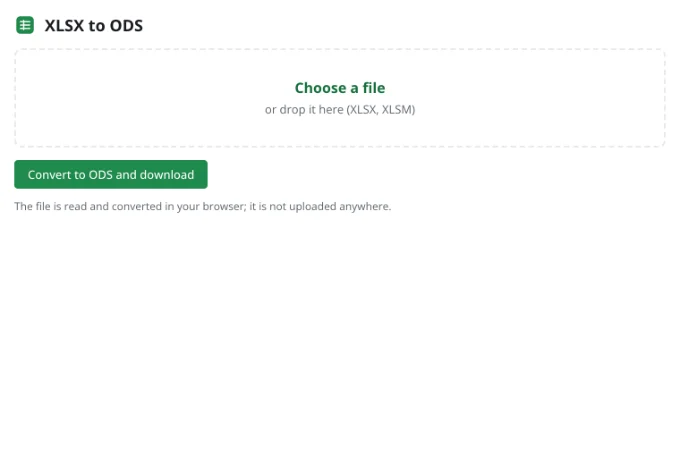
1Choose the workbook
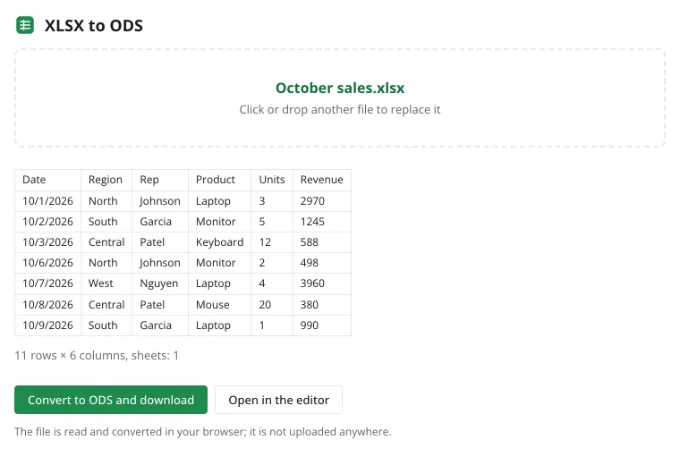
Drop the XLSX file into the tool to see the top of its active sheet.
2Convert
One click writes every sheet into an ODS file.
3Double-check
Open the file in the recipient's app. If something needs a tweak, edit it in the editor and save ODS from the File menu.
About the ODS format
ODS is the ISO/IEC 26300 standard for spreadsheets. Free office suites, many national software packages and most online editors read it, which makes it a dependable choice for archiving and for exchanging files with organizations that avoid proprietary formats.
Formulas are written in OpenFormula syntax and number formats as ODS styles; widths, merges, fills and borders are carried over unchanged.
Frequently asked questions
Is my file uploaded anywhere?
No. The spreadsheet is read and written by your browser, on your device. It only reaches Zotu's servers if you choose to save it to your cloud from the full editor.
Do I need an account or a subscription?
No. The tool is free and needs no sign-up. An account only adds cloud storage, so your workbooks follow you between devices and save themselves.
Is every function supported in ODS?
Common functions convert cleanly. Newer ones such as XLOOKUP or LET may not recalculate in older apps — their stored results remain visible.
Can I open ODS files here as well?
Yes. The editor opens ODS directly, and the ODS to XLSX converter goes the other way.
More tools
- Convert CSV to XLSX onlineConvert CSV to XLSX in your browser.
- Convert XLSX to CSVExport a sheet from an XLSX workbook to CSV with a comma, semicolon or tab delimiter.
- Convert a spreadsheet to PDFTurn an XLSX, ODS or CSV spreadsheet into a PDF with proper page breaks, headers, footers and charts — just like printing.
- Convert ODS to XLSXConvert OpenDocument spreadsheets (ODS) to XLSX with sheets, formulas, number formats and styling intact.
- Convert a spreadsheet to an HTML tableTurn a sheet from XLSX, ODS or CSV into a styled HTML table with fonts, colors, borders and merged cells — ready for websites, wikis and emails.
- Convert TSV to XLSXConvert TSV files or tab-separated text to XLSX: columns line up, numbers and dates are recognized, and any language's characters read correctly.
- Open an XLSX file onlineOpen XLSX, ODS or CSV files online and edit them right away: formulas, filters and charts work.
- Edit CSV files onlineEdit CSV files online in a real grid: sort, filter, find and replace, remove duplicates and split columns, then save back to CSV without breaking quotes.